
Free Accounting Software in Canada: Top Choices for Small Businesses

Oussama Nait-Zlay
Content Marketing Manager
December 23, 2025
Running a small business often comes with a simple question that sneaks up on you sooner or later. How do you keep track of your money without spending more money? It’s a fair concern, especially when every dollar feels like it has a job already. So naturally, free accounting software becomes the first place many business owners look.
But here’s the thing. As the business grows and your needs stretch a little wider, free tools don’t always stretch with you. Maybe you’ve felt that moment before, where a simple process starts taking longer, or you’re juggling spreadsheets just to keep things organized. It doesn’t mean you did anything wrong. It just means your business is moving forward, and your software needs to catch up.
This article walks you through some of the most popular free accounting tools available in Canada. You’ll see what they do well, where they fall short, and how to decide which one fits your current stage. More importantly, we’ll explore the point where many Canadian businesses notice that free tools are no longer enough, and why solutions like Microsoft Dynamics 365 Business Central become a natural next step when growth picks up speed.
Ready? Let’s break things down gently and make your decision a little easier.
TL;DR
-
Wave, Zoho Books, Akaunting, GnuCash, FreshBooks, and QuickBooks offer free basics.
-
They’re helpful early on for invoicing, expenses, and simple reporting.
-
Limits appear as your business grows or workflows get more complex.
-
When free tools feel too tight, Dynamics 365 Business Central supports the next stage.
What Makes a Good Free Accounting Tool?
Choosing a free accounting tool sounds simple at first, yet the moment you start comparing features, you realize there’s a bit more to it. Every provider promises ease, clarity, and peace of mind, but the real question is whether the tool can support the way you actually work.
A good free accounting platform should cover the basics without feeling like you’re constantly patching gaps. Most small businesses in Canada look for a few essentials: clean invoicing, quick expense tracking, and reports that don’t require a finance degree to understand. If a tool can deliver those without slowing you down, you’re already off to a good start.
Let me explain something that often gets overlooked. Free tools come with limits that only show up once your business starts picking up speed. Maybe the number of invoices is capped. Maybe multi-user access becomes restricted. Or maybe the reports you need most are locked behind a paid plan. These aren’t deal-breakers at the beginning, but they can become bottlenecks once operations get busier.
Another thing to watch for is how well the software fits with Canadian accounting needs. GST and HST tracking, bilingual invoices, and tax-friendly exports might seem small, but they save time and avoid headaches later. A tool that doesn’t support these basics ends up creating extra steps, and no one needs more steps in their day.
So, when you’re looking at what “free” should really mean, you’re asking whether the tool helps your business stay organized without creating extra work. That simple filter makes it easier to see which platforms are genuinely helpful and which ones feel free only on the surface.
The Top Free Accounting Software in Canada
Canada has no shortage of free accounting tools, although each one comes with its own personality. Some focus on simplicity, others on automation, and a few quietly offer powerful features if you know where to look. Think of this section as a quick tour through the most popular choices, the ones small businesses tend to start with before they think about upgrading later.
1. Wave Accounting
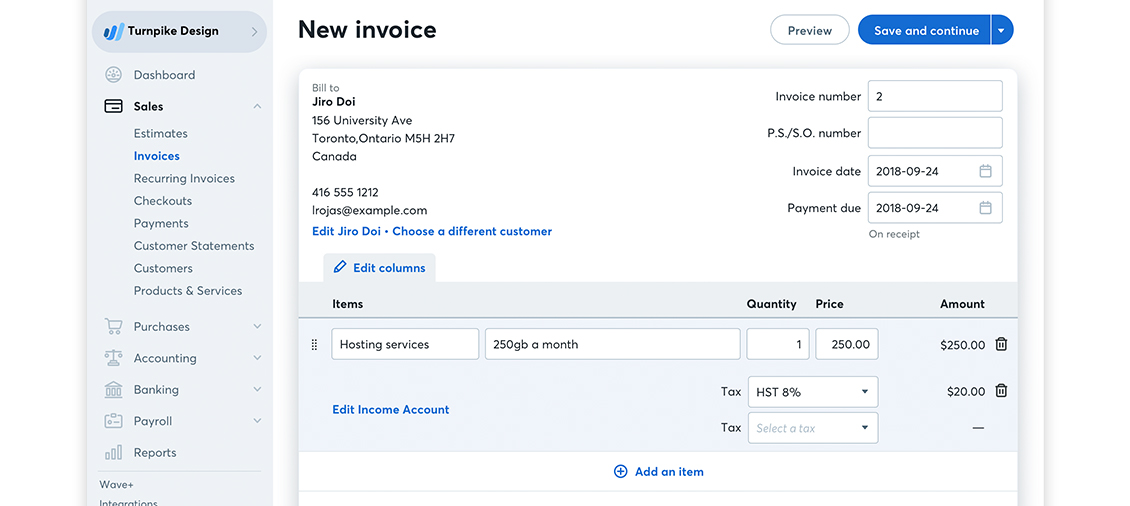
Wave is probably the name you’ve heard the most, especially if you’re based in Canada. It’s friendly, modern, and genuinely free for core accounting tasks. Many freelancers and early-stage entrepreneurs start here because it feels familiar almost immediately.
What you get:
-
Unlimited invoicing
-
Expense tracking
-
Basic reporting
-
A clean, intuitive dashboard
-
Good support for GST/HST
-
Connection to Wave Payments and Payroll (paid add-ons)
Where it starts to feel limiting:
Wave works very well until your operations expand. Multi-user controls are light, automation is limited, and inventory management is almost non-existent. Businesses that grow past simple bookkeeping often find themselves juggling spreadsheets again.
2. Zoho Books Free Plan
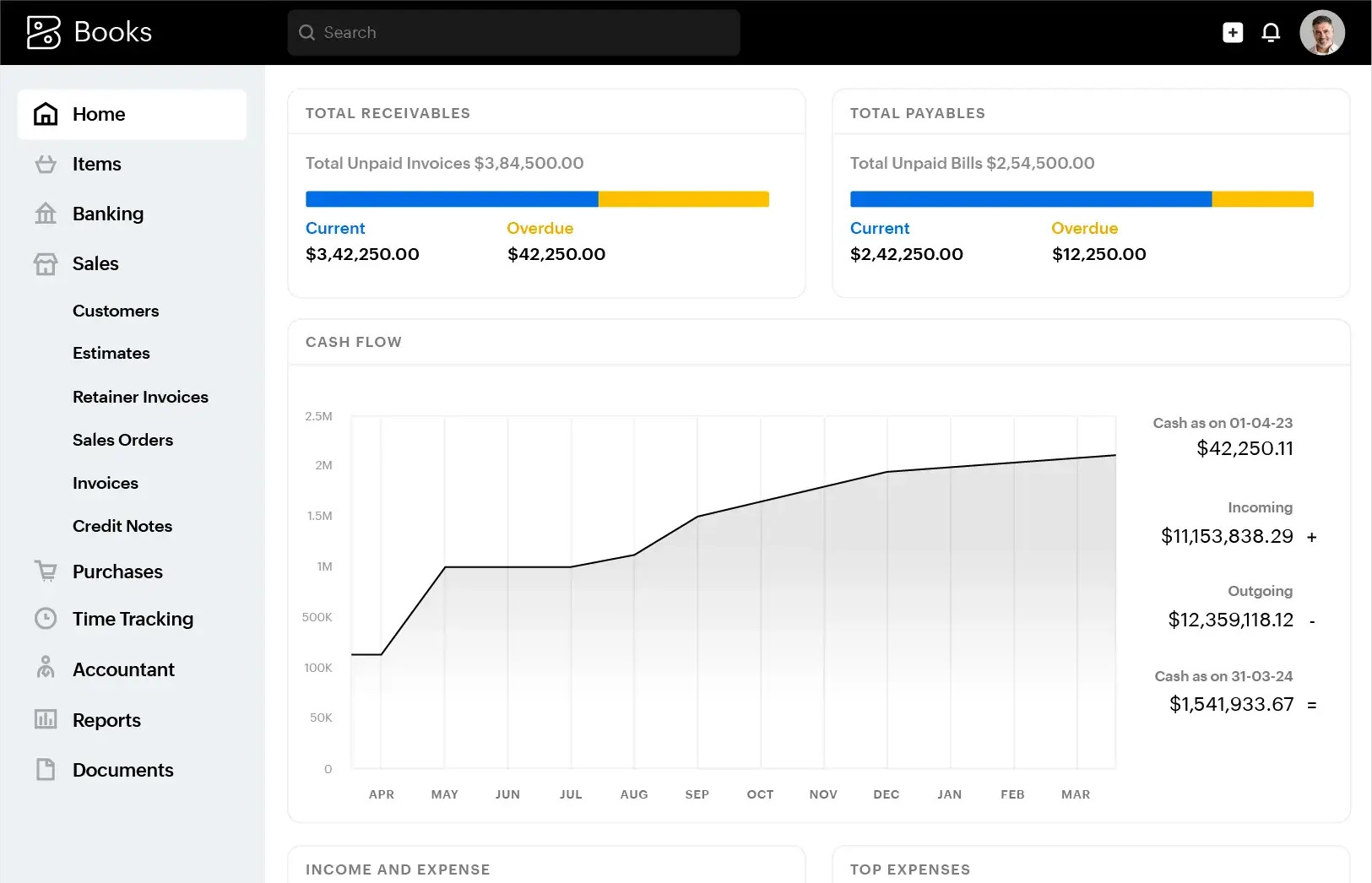
Zoho Books offers a genuinely helpful free tier for small businesses with lower annual revenue. It’s structured, organized, and feels more mature than other free options, especially when you’re trying to keep your books tidy.
What you get:
-
Invoicing and quotes
-
Expense tracking
-
Mileage
-
Client portal
-
Banking and reconciliation
-
A surprisingly strong mobile app
Where it starts to feel limiting:
The free plan is capped by revenue and features. Once your business grows, you’ll need a paid plan to access project tracking, more advanced reporting, or deeper automation. Still, as a starting point, it feels polished and reliable.
3. Akaunting
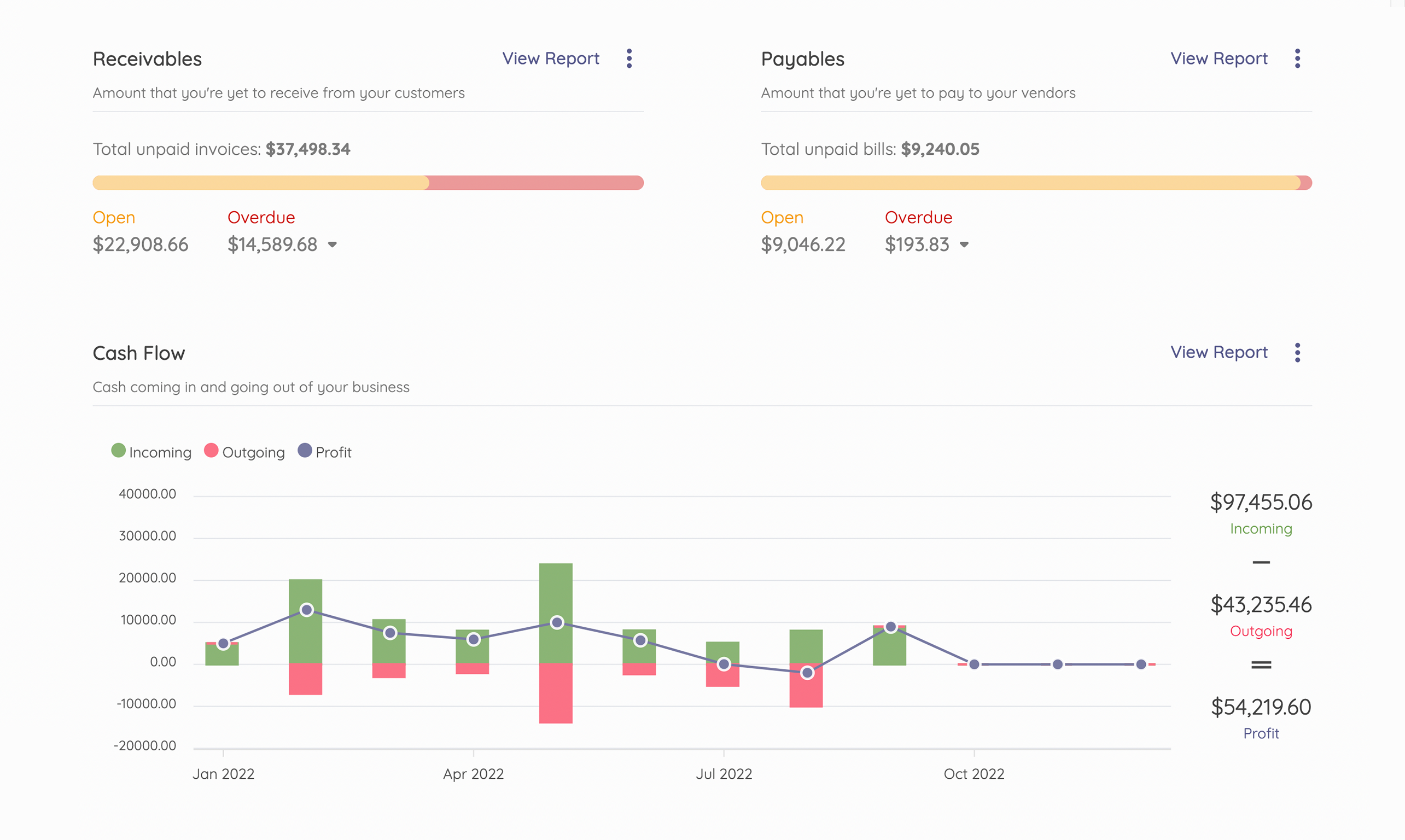
Akaunting is an open-source accounting platform that attracts entrepreneurs who want full control and flexibility. It’s free, cloud-based, and customizable, which makes it appealing if you like tweaking tools to fit your way of working.
What you get:
-
Invoicing and billing
-
Expense tracking
-
Basic reporting
-
Multi-currency
-
Add-ons through a marketplace
Where it starts to feel limiting:
Most advanced features require paid extensions, and setup can feel a bit technical if you’re not used to configuring software. Larger teams may also notice friction in workflows or permissions.
4. GnuCash
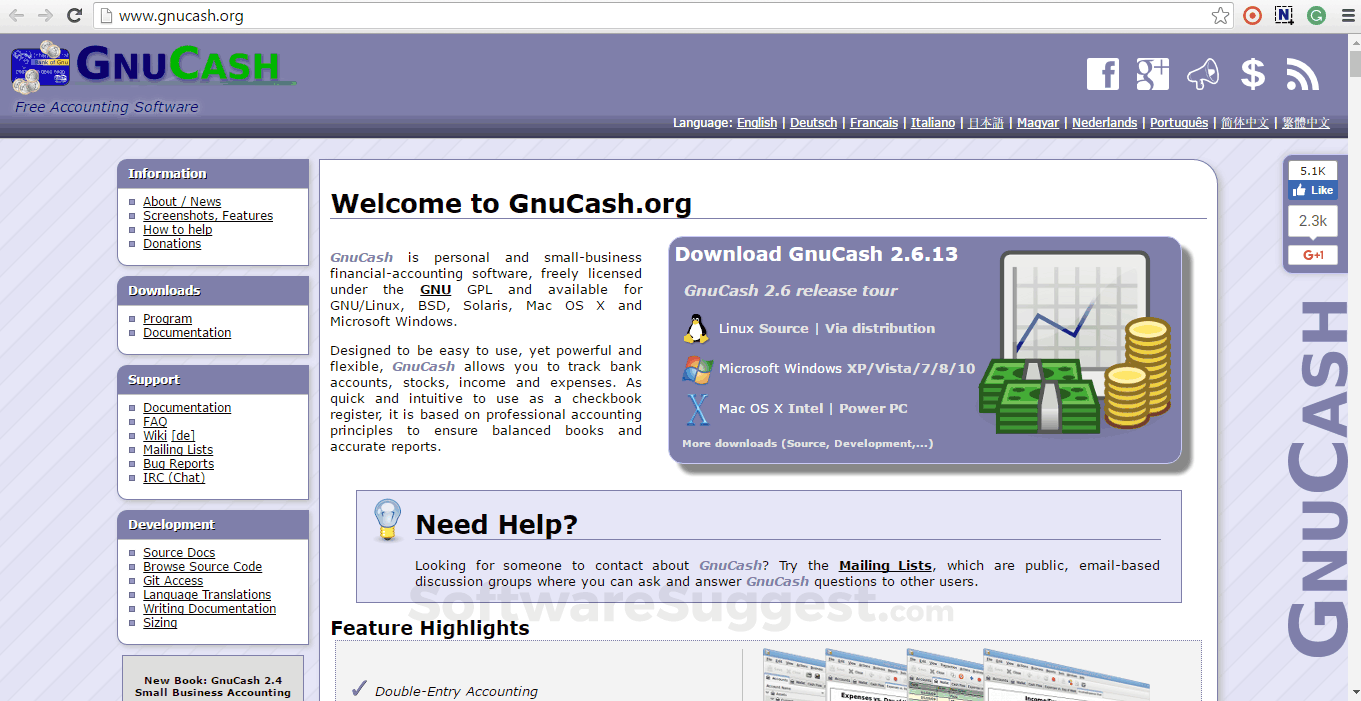
GnuCash has been around for a long time, and it shows in both good and quirky ways. It’s desktop-based, extremely reliable, and built with traditional accounting logic at its core.
What you get:
-
Double-entry accounting
-
Income and expense tracking
-
Vendor and customer management
-
Simple reporting
Where it starts to feel limiting:
It’s not cloud-based, it’s not collaborative, and it lacks the smoother experience modern tools provide. It’s great for someone comfortable with a more classic bookkeeping environment, but less ideal for growing teams.
5. FreshBooks Free Trial (with limits)
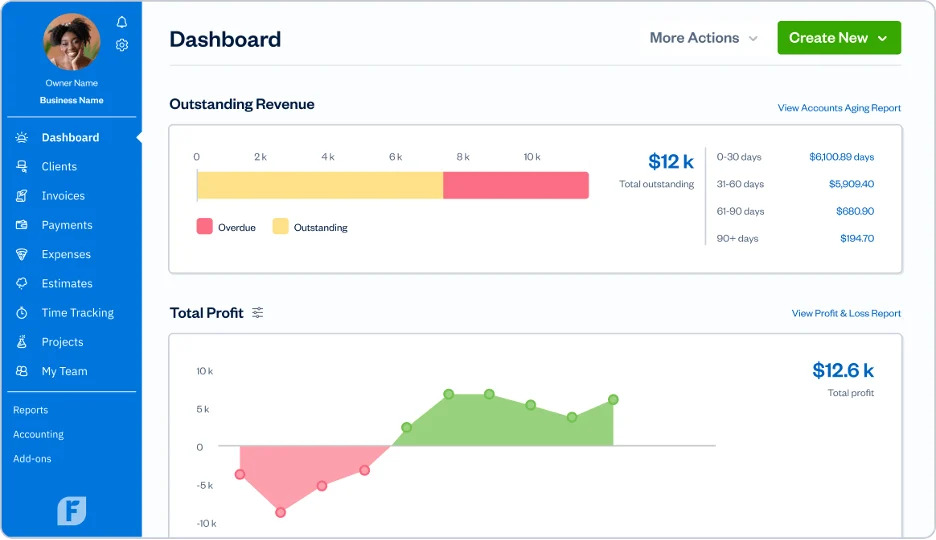
FreshBooks isn’t technically free long-term, but many small businesses test it out through its trial or limited features before deciding. It’s polished, visual, and easy to use.
What you get:
-
Very clean interface
-
Strong invoicing
-
Time tracking
-
Expense tracking
-
Good Canadian tax support
Where it starts to feel limiting:
Once the trial ends, costs add up. Advanced features like project management, team access, and deeper reporting sit firmly behind paid plans.
6. QuickBooks Free Tools
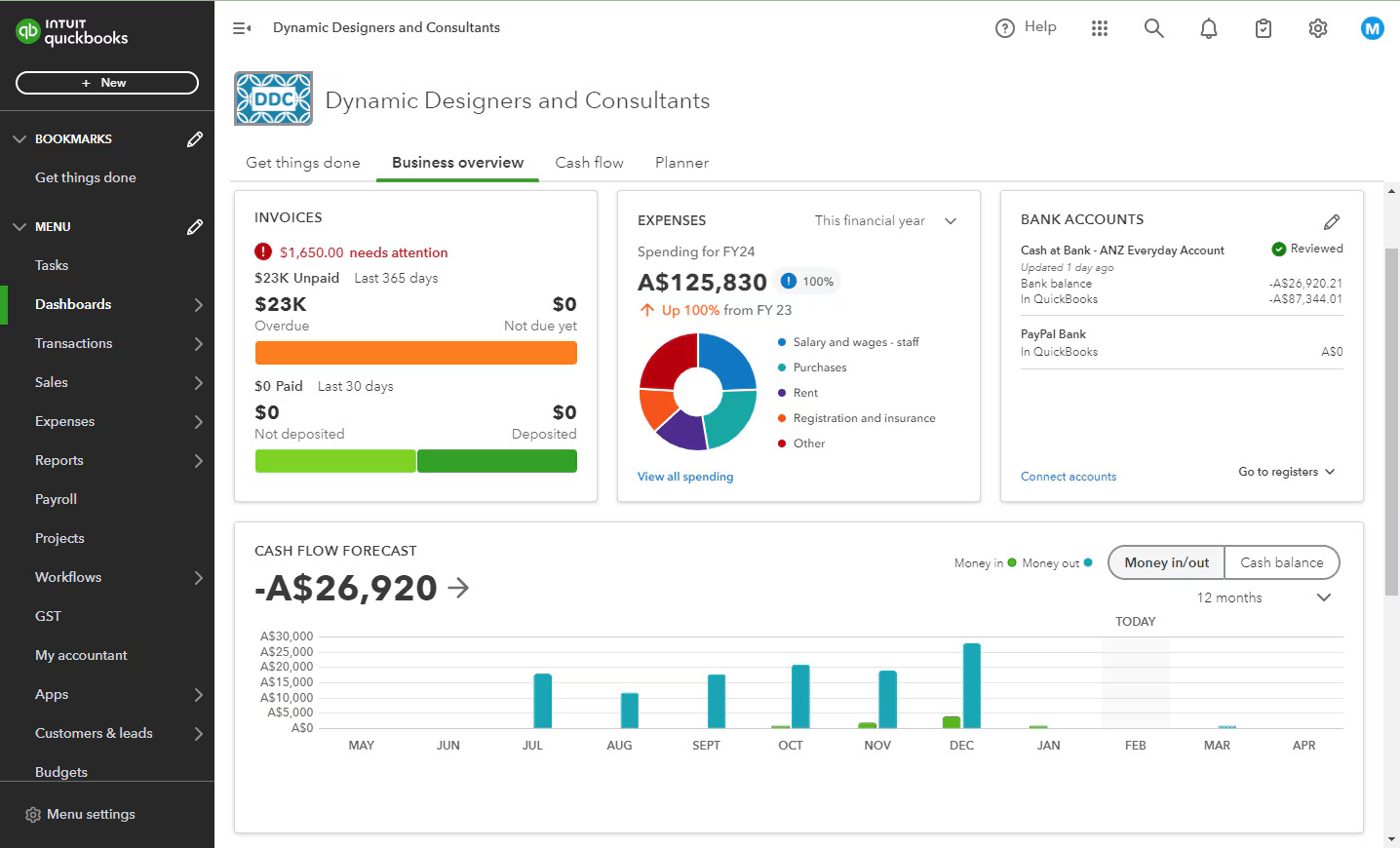
QuickBooks Online doesn’t offer a full free version, but it does provide limited tools like free calculators, trial access, and basic features for testing workflows before committing.
What you get:
-
Familiar interface
-
Good automation
-
Easy tax handling
-
Popular with accountants
Where it starts to feel limiting:
There is no long-term free plan. If your business grows, you’ll eventually need a paid plan, and pricing can increase over time.
These tools cover a wide range of situations, from simple invoicing to basic bookkeeping. They’re easy ways to get your financial processes off the ground without stretching your budget. But as helpful as they are, each one reaches a point where growth starts demanding more than what a free plan can offer. And that’s where the next section comes in.
How to Choose the Right Free Accounting Software
Choosing between free accounting tools can feel oddly similar to picking a phone plan. Every option looks good at first glance, but once you read the details, you start noticing little differences that matter more than you expected. The goal here isn’t to chase the perfect tool. It’s to find the one that fits your current stage without slowing you down.
A good starting point is to think about the way your business actually runs, not the way you hope it will run someday. If most of your work revolves around sending invoices and tracking expenses, almost any tool on the list will do the job. But if you’re managing multiple clients, collecting payments online, or handling things like project work or basic inventory, the field narrows quickly.
Features matter, but comfort matters too. You want a tool that feels pleasant to review at the end of the day, not software that forces you to click everywhere just to find what you need. The bank connection should be stable, and reconciliation should stay simple, especially as your transaction volume increases. Reports should show you the story behind your numbers without you squinting at the screen.
There’s also the question of how much growth you expect in the next year or two. Some tools stay solid for a while, while others start getting tight once your transaction volume increases or when your accountant asks for cleaner data. If your business is moving fast, choosing a tool with a clear upgrade path can save you from switching later.
To keep it simple, you can filter your choices by asking:
-
Do I need something just for invoicing and expenses?
-
Do I need a tool that handles GST and HST without fuss?
-
Do I work with a team that needs shared access?
-
Do I expect transaction volume to increase soon?
-
Do I need clean reports for accountants or lenders?
Once you sort your needs through those questions, the right tool usually becomes clearer. Free software is meant to help you stay organized without creating extra work. And when you look at it through that lens, it’s easier to see which platforms support your workflow today and which ones you might outgrow quicker than you think.
The Hidden Costs of Staying on Free Tools
Free accounting software feels comforting at first. It keeps expenses low, keeps you organized, and gives you that small sense of relief that things are under control. But as businesses grow, the hidden costs start slipping through the cracks. They show up slowly, almost quietly, until one day you realize you’re spending more time fixing problems than actually running the business.
One of the biggest hidden costs is manual work. Most free tools handle the basics, but they rarely automate anything meaningful. You might catch yourself entering the same information twice, matching transactions by hand, or exporting files just to move data around. It’s manageable for a while, but when activity picks up, those small tasks eat entire afternoons.
And it’s more common than you’d think. A recent CFIB survey found that only 40% of Canadian SMEs include accounting software as part of their digital toolkit, which means many businesses still rely on manual or semi-manual processes. Those habits work early on, but they create bottlenecks as soon as the workload increases.
Another common issue is limited reporting. Free versions often give you a handful of simple statements that help you understand the basics. But when you want to compare trends, look at profitability by project, or prepare for tax season with confidence, the reports simply don’t go far enough. You end up juggling spreadsheets or asking your accountant for extra help, which brings its own cost.
Then there’s the question of collaboration. Many free platforms restrict multi-user access or limit what each person can do. It’s not a problem when you’re on your own, but once you involve an assistant, a bookkeeper, or even a partner, the limitations become clear. People need access, and access needs structure.
Free tools also fall short when real compliance requirements enter the picture. Audit trails, approval workflows, secure document storage, and consistent reconciliation become more important as your business matures. Without them, errors slip through more easily, and your financial picture becomes harder to trust.
And let’s be honest. Switching tools late in the game is harder than switching early. The longer you stay on a system that can’t support your growth, the more data you need to migrate later. That migration becomes a project on its own.
So yes, free software can be incredibly helpful at the beginning. But once growth starts pulling you forward, the limitations become friction points. They don’t stop you from working, but they slow down momentum in ways that aren’t always obvious at first.
When You’re Growing and Free Software Stops Keeping Up
Growth feels exciting until your tools start arguing with your workflow. It usually begins with small inconveniences. A report takes longer to export. A bank feed disconnects more often. You add one more product or service to your lineup, and suddenly the simple system that once felt effortless starts feeling a bit cramped.
You know what? It’s completely normal. Free accounting software is built for early stages, not for the steady complexity that comes with real momentum.
Here are a few signs you might recognize.
-
Your transaction volume starts climbing.
More clients, more invoices, more expenses flying around. Free tools can handle the basics, but once things pick up pace, performance slows and manual tasks multiply. You start feeling like you’re patching holes instead of staying organized.
-
Your accountant asks for cleaner data.
When you reach a point where your advisor needs structured reports, consistent reconciliations, or an audit trail, most free tools can’t keep up. Missing details become harder to track, and messy exports add more work for everyone involved.
-
You need automation to save time.
Recurring invoices, approval flows, tax rules, inventory adjustments… none of these should be handled manually forever. Free platforms usually deliver just the basics, leaving you with repetitive tasks that quietly drain your day.
-
You’re working with more than one person.
Collaboration becomes tricky when user permissions are limited or when only one person can work in the system at a time. As soon as you involve a bookkeeper, an assistant, or new team members, the cracks show up.
-
Your operations move beyond simple bookkeeping.
Inventory, projects, job costing, purchase orders, multiple locations… these are things free tools were never designed to support deeply. They’re great for start-up phases but not for structured, growing businesses.
-
You want real-time insight instead of guesswork.
Free tools often give you static snapshots, not dynamic dashboards. When you begin needing up-to-date information across sales, operations, and finance, those limitations become more than an inconvenience.
What all these signs have in common is that they appear naturally as you grow. They’re not problems with your business. They’re reminders that your software reached the edge of what it was built to do. And that’s usually when Canadian businesses start exploring something more complete, something that supports the next stage without forcing constant workarounds.
Why Many Canadian Businesses Upgrade to Microsoft Dynamics 365 Business Central
There’s a moment in every growing business where free accounting tools start feeling a little too small. It might be the tenth time you rebuild a spreadsheet just to get a clearer view of your margins, or the day a supplier asks for a proper purchase order workflow. At some point, you realize you don’t need more patches. You need a system built for real growth.
That’s usually when Dynamics 365 Business Central enters the conversation.
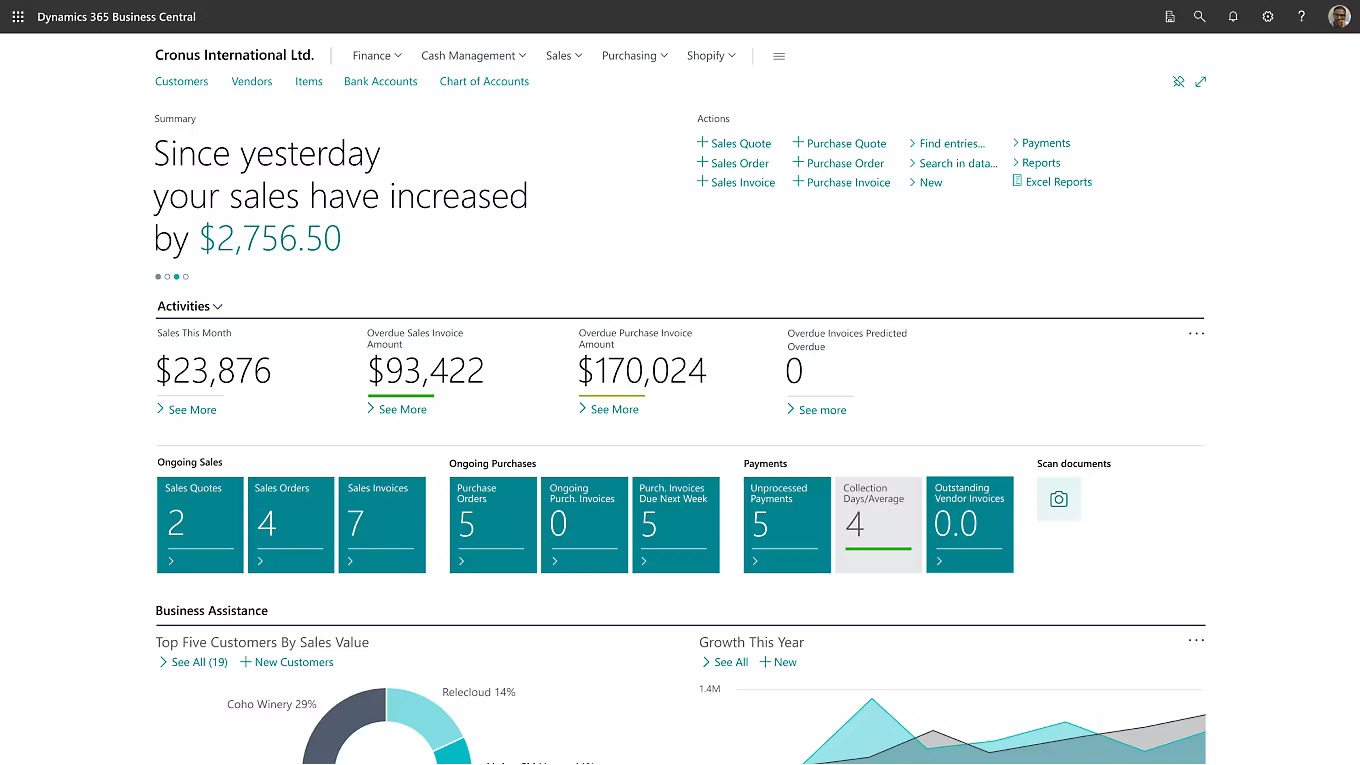
Microsoft Dynamics 365 Business Central isn’t just “bigger software”. It’s a complete platform that brings your financials, operations, sales, and reporting together without forcing you to jump between tools. If free platforms give you the essentials, Business Central gives you the structure to scale confidently.
One of the biggest differences is how it handles complexity without making your day harder. As transaction volume increases, it keeps everything organized with clean audit trails, better controls, and reliable automation. You can manage inventory, handle purchasing, track projects, and centralize your data without touching a spreadsheet.
Another advantage is the way it supports Canadian compliance. GST and HST calculations, bilingual documents, and audit-friendly record keeping are all built directly into the system. You’re not piecing things together or hoping the tool understands local rules. It simply works.
Dynamics 365 Business Central also shines when several people need access. Permissions, roles, and approval workflows help you maintain accuracy even when your team grows. You can trust that everyone is working with the same information, not their own disconnected files.
And of course, there’s the reporting. Instead of basic statements, you get real dashboards that update in real time. You can see profitability, performance, and trends without exporting anything. It gives you a clearer story behind your numbers, which makes decision-making feel less like guesswork.
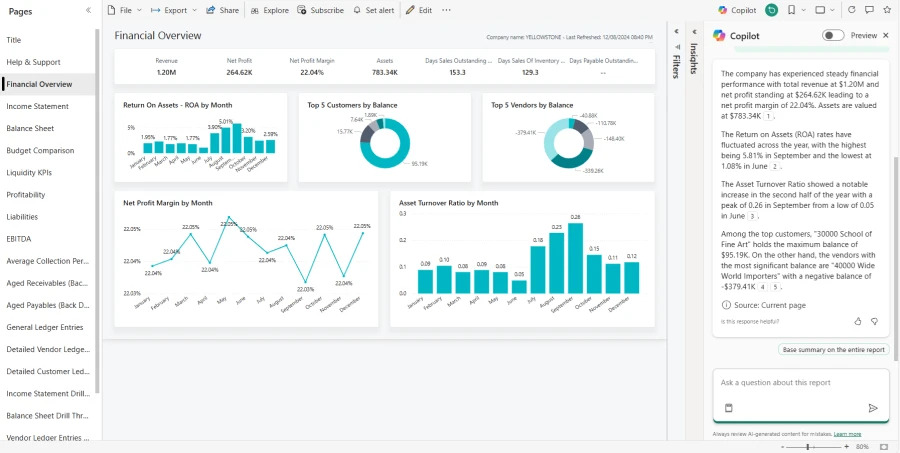
It’s not that free tools are bad. They’re perfect for the early stages. But once your requirements stretch beyond simple bookkeeping, Dynamics 365 Business Central becomes the kind of system that doesn’t just follow your growth. It supports it.
When Should You Consider Making the Switch?
There comes a point where your accounting software stops being a simple tool and starts shaping the way you run your business. Free platforms are great at helping you get organized, but choosing when to move on is less about hitting a specific milestone and more about recognizing what your business needs next.
A helpful way to think about it is to look at your goals rather than your obstacles. If your plans for the next year include hiring, expanding your product line, opening a second location, or even just tightening your financial processes, you’ll need a system that supports that direction. Growth doesn’t wait for your software to catch up.
It’s also worth paying attention to how decisions are made in your business. If you’re relying on spreadsheets, old exports, or guesswork to understand performance, you’re probably feeling a quiet pressure to get better visibility. Real-time insight isn’t a luxury anymore. It’s part of how stable businesses operate.
Another moment that often signals a needed change is when your accountant or bookkeeper starts recommending more structure. Professionals can work with almost anything, but they know when a system is creating extra work. If they’re suggesting a more complete platform, they’re usually thinking about accuracy, efficiency, and long-term stability.
You might also notice that you’re starting to think beyond simple bookkeeping tasks. Maybe you’re exploring things like inventory tracking, job costing, approvals, or multi-department reporting. These aren’t signs of complexity for the sake of complexity. They’re signs your business is maturing, and mature operations need mature support.
So the real question becomes simple:
Do you want your software to follow your growth or just respond to it?
If you’re planning for the next stage and want a system that can handle it without forcing constant adjustments, that’s usually the clearest indicator that it’s time to consider a move to something like Business Central. Not because the free tools failed, but because your business outgrew the starting phase they were built for.
For a platform like Dynamics 365 Business Central, the transition is usually done with the support of a partner to ensure a clear, structured setup that fits the needs of the business.
The Takeaway
Free accounting software has its place, and for many small businesses, it’s the steady starting point that keeps things organized while you find your rhythm. It helps you understand your numbers, handle the essentials, and build habits that support healthier financial decisions. There’s real value in that phase, especially when every expense needs careful attention.
But as your business grows, your systems need to grow with you. Workflows get a little more complex. Reporting becomes more important. Collaboration changes. And before you realize it, the tools that felt perfectly fine at the beginning start feeling a bit too narrow for the direction you’re headed.
Moving from a free tool to a more complete platform is usually a sign that things are working. Growth comes with new demands, and having software that supports that momentum makes a noticeable difference in how confidently you can plan ahead.
That’s where solutions like Dynamics 365 Business Central make sense. It’s not meant to replace your early wins. It simply gives you room to operate with more structure, more clarity, and more control as your business enters its next chapter.

Is Your Business Ready for an ERP?
If you’re starting to feel that free tools are becoming a bit limiting, this short guide helps you see whether an ERP could support your next stage of growth.
Download the checklistFAQ
What is the best free accounting software for small businesses in Canada?
The best choice depends on what your day looks like. Wave is popular for simple invoicing and expenses, Zoho Books offers a structured free plan for smaller businesses, and Akaunting or GnuCash work well if you prefer more control. Each tool handles the basics, but the right one depends on the size and pace of your operations.
Is Wave Accounting still free in Canada?
Yes, Wave’s core accounting features remain free for Canadian users. Paid add-ons are only required for services like payroll or payment processing. For basic bookkeeping, the free version is still widely used by freelancers and early-stage businesses.
Is Zoho Books free in Canada?
Zoho Books offers a free plan for businesses under a specific annual revenue threshold. It includes invoicing, expenses, banking, and a client portal. If your business grows past that threshold or needs advanced features like project tracking, you’ll need a paid plan.
Can free accounting software handle GST and HST?
Most free platforms support GST and HST, but the level of automation varies. Wave and Zoho Books handle tax calculations reliably, while tools like Akaunting or GnuCash may require more manual setup. Choosing a platform with Canadian tax workflows built in helps reduce errors.
Are free accounting tools enough for a growing business?
They work well at the beginning, especially when your processes are simple. As your business grows, you may notice limits in reporting, automation, user access, or inventory tracking. That’s often when businesses start looking at more complete systems.
When should I upgrade from free software to something more complete?
A good sign is when your tools slow down your workflow instead of supporting it. If you’re juggling spreadsheets, working around missing features, or spending more time reconciling accounts, you’re likely ready for a system that brings financials, operations, and reporting together.
Is Microsoft Dynamics 365 Business Central an accounting system?
It includes full accounting, but it goes far beyond that. Dynamics 365 Business Central also manages inventory, purchasing, projects, sales, reporting, and multi-department workflows in one platform. It’s designed for businesses that need more structure than free tools can offer.
Does switching from free software to Business Central take a lot of work?
It depends on how much data you need to migrate, but most businesses find the transition easier than expected. Making the switch earlier usually helps. With the right guidance, moving to Business Central can be smooth and efficient.
Oussama Nait-Zlay
Content Marketing Manager
Oussama is a technology content expert at Era Consulting Group. He focuses on making complex topics related to ERP and enterprise technologies accessible, helping organizations fully leverage digital innovations. He brings several years of experience in the SaaS and technology industries, notably with companies such as Zoho and ManageEngine.
Follow Oussama Nait-Zlay
Featured