
Smarter Inventory Management with Microsoft Dynamics 365 Business Central

Catherine Héroux
Marketing Director
Published on February 18, 2026
Updated in May 2026
Inventory management shouldn't be a “necessary evil”… and yet, that’s often the case.
Between multiplying Excel files, inventories that never quite match reality, and last-minute surprises in the warehouse, the balance is fragile: too much idle inventory ties up your cash flow, too little causes stockouts and disappointed customers.
This is precisely where Microsoft Dynamics 365 Business Central can make a difference. When used correctly, Dynamics 365 Business Central inventory management becomes a lever to take back control: real-time visibility, automated replenishment, fewer errors, and better collaboration between teams.
Why Inventory Management Remains a Real Headache
Even in 2025, today, many manufacturing, wholesale, distribution, and retail SMBs still rely on a combination of Excel sheets, in-house systems, and emails to manage their inventory. The result is predictable:
-
data never fully up to date;
-
decisions made based on gut feeling rather than data;
-
frictions between sales, warehouse, and finance.
Manual Entry and Human Errors
Every time an employee has to re-enter information (quantity received, adjustment, customer return, etc.), the risk of error increases. A zero too many, an incorrect item code, or forgetting to record a movement, and the entire chain is thrown off.
On a small scale, these errors are "caught up" at the annual inventory. But as soon as the volume increases, these discrepancies cost you time, money… and sometimes customer trust.
Lack of Visibility Between Warehouses and Channels
Do you have multiple warehouses, stock at partners, or sales coming in from different channels (e-commerce, retailers, reps)? Without a consolidated view of inventory by location, you’re flying blind.
Business Central lets you track stock levels by warehouse, by bin, and by storage type, while reflecting this information in real time in your sales and purchases.
Delays Between Sales, Purchasing, and Finance
Another common symptom: modules don’t communicate. The sale is recorded in one system, the purchase receipt in another, and accounting tries as best it can to reconcile everything.
Result:
-
delayed reports,
-
unreliable forecasts,
-
decisions made on outdated data.
Dynamics 365 Business Central is a cloud ERP designed for SMBs. It doesn’t just track your inventory: it links inventory, sales, purchasing, production, logistics, and finance in a single system.
To better understand how Business Central fits into the Microsoft ecosystem, you can also view our article on Microsoft Dynamics 365 modules.
Real-Time Visibility on Your Inventory Levels
With Business Central, you can instantly see:
-
available quantity per item, per warehouse, per bin;
-
what’s already reserved for customer orders;
-
what’s in transit or pending receipt.
No more “let me check in the back” or decisions based on reports exported the day before. You base your decisions on a single, shared, up-to-date data set.
Automated Forecasting and Replenishment
Business Central lets you define for each item:
-
reorder points,
-
safety stock,
-
supplier lead times,
-
a replenishment policy (fixed quantity, max quantity, lot by lot, etc.).
Based on this, the system automatically generates replenishment proposals in the planning worksheets: purchase orders, transfer orders, production orders, according to your rules. You move from “gut-feel” planning to a structured process, far less dependent on Excel.
A Seamless Connection Between Sales, Purchasing, Finance, and Logistics
As soon as a customer order is created, the impact on your inventory is visible. When a supplier receipt is entered, your availability updates, along with your costs and accounting entries.
Where some software requires several tools to cover these needs, Dynamics 365 Business Central centralizes these flows into a single inventory and finance management ERP.
Mobility, Barcodes, and Modern Warehousing
Business Central can be connected to mobile devices and barcode scanners. Your warehouse workers scan items for receipts, picking, and inventory, and movements are recorded directly in the system.
Result: fewer entry errors, less paperwork, more productivity.
Here’s an overview of features that make a real difference in day-to-day Business Central inventory management:
Batch or Serial Number Tracking
For expiration-date products, traceable parts, or equipment, Business Central offers batch or serial number tracking: receipt, warehousing, sale, return… You know exactly “what's where” and since when.
Availability by Warehouse, Zone, and Bin
You can structure your warehouses into:
-
zones (receiving, picking, bulk, shipping);
-
bins with different roles (receiving, picking, quality control, etc.).
The system then suggests the best locations for stock-in and picking, according to your priority rules.
Assembly and Kits
Sell kits or bundles (ex: finished product + accessories)? The assembly features allow you to group several items into one, while maintaining clear traceability of components and costs at the ERP level.
Warehouse Picking and Put-Aways
Business Central supports different levels of complexity:
-
inventory picks and put-aways for simple environments;
-
warehouse picks and receipts for more advanced warehouses;
-
directed put-away and pick flows for full WMS structures.
The goal: guide your teams with clear pick and put-away lists, reduce unnecessary trips, and secure your flows.
Replenishment Rules and Planning Worksheets
The replenishment policies and planning worksheets let you:
-
standardize how and when to calculate reorder quantities;
-
reduce manual calculation work;
-
limit the risks of overstock or stockouts.
Deploying an inventory-management ERP like Microsoft Dynamics 365 Business Central isn’t just a technical upgrade. The impact is tangible for your teams and your results.
Better Cash Management
By optimizing your inventory levels, you reduce the excess stock sitting idle on shelves and tying up your capital. You invest where it really matters.
Fewer Stockouts and Surpluses
Thanks to alerts, forecasts, and replenishment proposals, you better anticipate demand. Fewer “out of stock” situations, fewer “we over-ordered.”
Time Savings and Customer Satisfaction
-
Less manual entry;
-
Fewer surprise inventories;
-
More reliable delivery dates;
-
Complete orders delivered faster.
Your teams spend less time putting out fires and more time creating value. And if logistics and transportation are at the heart of your concerns, discover how an ERP can improve your logistics performance.

Are You Ready for an ERP?
If you feel your inventory management is reaching its limits, but you’re still hesitant to start a project, our checklist helps you take stock: signs the time has come, resources to plan, risks to anticipate, and potential benefits.
Download the checklistImagine an industrial distribution SMB with:
-
3 warehouses,
-
hundreds of active SKUs,
-
a mix of recurring and urgent orders.
Before Business Central
-
Inventory tracked in Excel and the accounting system.
-
Each month-end, the team spends days adjusting inventories.
-
Salespeople promise deadlines without knowing real availability.
-
Cash flow suffers from overstocks on some products… and shortages on the most popular.
After Deploying Business Central
-
Inventory is centralized in a single system, with a view by warehouse and bin.
-
Replenishment rules automatically generate purchase order proposals.
-
Order preparation is guided by picking lists on mobile devices.
-
Reports quickly identify slow movers or bottlenecks.
In a few months, the company reduces its overall inventory levels while decreasing stockouts and improving delivery times.
If you see yourself in this situation, here’s a pragmatic approach:
-
Diagnose your current situation
-
- Where is your inventory data today?
-
What are the main pain points for your teams?
-
Define your objectives
-
-
Reduce stockouts?
-
Lower inventory value?
-
Better manage multiple warehouses?
-
Not sure if your situation justifies a change? Here are 7 signs it’s time to adopt a manufacturing ERP that can help you decide.
-
Get Support
An ERP project isn't just about “installing software.” An experienced partner helps translate your business processes into Business Central and avoid common pitfalls.
-
Start Small, Grow Later
You can start with a simpler Business Central inventory management (single warehouse, a few replenishment rules) and then progressively enable advanced features (WMS, barcodes, assembly, etc.). If your needs grow, no worries: there are warehouse management extensions, and Groupe Conseil Era even has a custom solution for unique business needs.
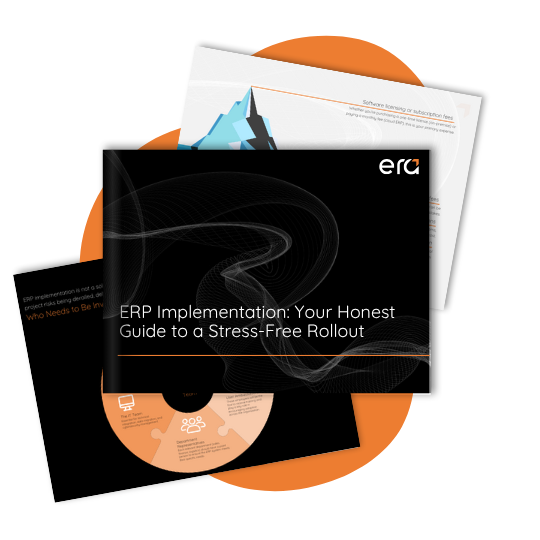
To Go Further: An Honest Guide to ERP Implementation
When it’s time to take action, our guide walks you through each step: choosing the solution, team prep, pitfalls to avoid, and best practices for a successful Business Central deployment.
Download the ERP Implementation GuideConclusion: What If You Finally Took Back Control of Your Inventory?
Inventory management will never be “finished.” Your company, products, and customers constantly evolve. But you can choose to suffer through it… or take control.
With Dynamics 365 Business Central, you move:
-
from Excel to real-time visibility;
-
from gut feeling to structured planning;
-
from reactive to proactive inventory management.
If you’re considering modernizing your inventory management, it’s probably because your current tools have reached their limits. That’s a normal step in an SMB’s growth.

Ready to take the next step?
Talk to our team to assess your situation, identify quick wins, and see how Dynamics 365 Business Central can fit your reality (manufacturing, distribution, services).
Talk to a Business Central expertFAQ
What is inventory management in Microsoft Dynamics 365 Business Central?
Inventory management in Business Central includes all the features needed to monitor, control, and optimize inventory levels—such as item creation, inventory movements, replenishment, warehousing, traceability, and analytics—all fully integrated with sales, purchasing, and financial processes.
Is Business Central suitable for small and medium-sized businesses?
Yes. Business Central is designed for SMBs that have outgrown basic accounting software but want to avoid the complexity of large ERP systems. You can start with a limited scope—such as finance and inventory—and add functionality as your business grows.
Can you track lot and serial numbers in Business Central?
Yes. Business Central supports both lot and serial number tracking. Every transaction—receipts, transfers, sales, and returns—maintains full traceability, helping with recalls, quality control, and regulatory compliance.
How does Business Central help avoid stockouts?
Replenishment policies, planning worksheets, and real-time inventory visibility allow you to anticipate demand. Business Central can automatically suggest purchase or transfer orders before inventory drops below defined thresholds.
Can you start with simple warehouse management and evolve to advanced WMS?
Absolutely. You can begin with simple inventory flows without bins and progressively enable warehouse management features such as bins, picks, put-aways, and directed put-away and pick as operational complexity increases.