
The 7 ERP Implementation Pitfalls SMBs Should Avoid

Oussama Nait-Zlay
Content Marketing Manager
March 18, 2026
ERP implementation is often presented as a major milestone in a company’s growth. And in many ways, it is. When implemented correctly, a system like Microsoft Dynamics 365 Business Central can fundamentally change how an SMB manages its operations.
Finance, inventory, sales, production… everything becomes connected. Information flows more easily. Teams save time. Decisions become clearer and more informed.
But here’s the paradox.
Many ERP projects begin with enthusiasm and high expectations, only to become more complicated as the project progresses. Timelines stretch. Costs increase. Teams start feeling overwhelmed.
And the same question almost always comes up.
How can a project designed to simplify operations become so complex?
In most cases, the issue isn’t the software itself. More often, the difficulties come from common pitfalls that occur during ERP implementation projects. These mistakes may not be obvious at the beginning, but they tend to surface months later.
The good news?
Most of these pitfalls are well known. And more importantly, they can be avoided.
In this article, we explore the most common ERP implementation mistakes SMBs encounter, along with practical ways to anticipate them. If your organization is considering implementing an ERP like Business Central, these insights could help you avoid some costly surprises.
Pitfall #1: Underestimating Internal Preparation
This is probably the most common mistake in ERP implementation projects. And yet, it often goes unnoticed at the beginning.
Many companies believe the project truly begins once the software has been selected. In reality, it starts much earlier. Internal preparation plays a critical role. Without it, even a well-chosen ERP can quickly become difficult to implement.
Consider a simple example. An SMB decides to implement a new ERP to improve how it manages inventory and financial operations. The goal is clear. The software is a good fit. But once the project begins, the teams realize that several processes have never been formally documented. Some tasks still rely on spreadsheets. And important decisions have never been clearly defined.
The result?
The project moves forward… but slowly.
Here are a few signs that an organization may not be fully prepared for an ERP implementation:
- Key business processes are not clearly defined
- Internal responsibilities have not been established
- Data comes from multiple unstructured sources
- No internal project owner is clearly responsible for leading the initiative
None of this is unusual. Many SMBs find themselves in a similar situation. But overlooking these elements can create delays once the implementation begins.
An ERP project works a bit like constructing a building. The software is the visible structure, but preparation forms the foundation. If the foundation is weak, everything built on top of it becomes harder to stabilize.
That’s why many organizations start by evaluating their level of readiness before launching an ERP project.
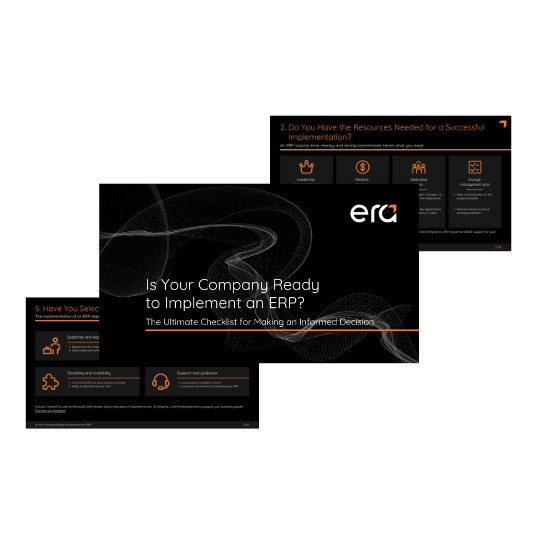
Evaluate Your ERP Readiness
Our ERP Implementation Readiness Checklist helps SMBs identify the key elements that should be clarified before starting a project.
Download the checklistPitfall #2: Choosing an ERP Before Defining Your Needs
It’s a surprisingly common scenario. A company attends a product demo, watches a few videos online, or hears about a popular ERP used in their industry. Enthusiasm builds quickly.
“This system looks powerful. We should probably implement it.”
The issue isn’t the software itself. Solutions like Microsoft Dynamics 365 Business Central offer extensive functionality and are well suited for many SMBs. The real challenge lies elsewhere.
Too often, the choice of ERP comes before a clear definition of business needs.
Organizations know they want to improve operations. They want better inventory management, more automation in finance, or better visibility across sales and operations. But when the project truly begins, a fundamental question emerges:
Which processes are we actually trying to improve?
Without a clear answer, ERP implementation can turn into a constant exercise in adjustments. Discussions stretch on. Configurations keep changing. Teams try to replicate old ways of working even when those methods are no longer efficient.
An ERP is not just new software. It’s often an opportunity to rethink certain processes.
This doesn’t mean everything needs to change overnight. Quite the opposite. The goal is to take a moment to review existing workflows, identify pain points, and determine what should truly evolve.
Many organizations therefore begin by clarifying a few key elements:
- The critical processes that need improvement
- Operational friction points teams encounter today
- The information teams struggle to access
- Business priorities for the coming years
This exercise may seem simple, but it greatly simplifies the rest of the project.
When needs are clearly defined, ERP configuration becomes smoother. Decisions happen faster. And most importantly, the implemented system reflects the real needs of the business.
In other words, the ERP becomes a tool that supports growth rather than a project constantly trying to replicate the past.
Pitfall #3: Overlooking Data Migration
It’s rarely the first topic discussed when companies start exploring an ERP project. Yet data migration is often one of the most delicate stages of an implementation.
At first glance, it seems straightforward. The data already exists in current systems. Invoices are there. Customer records too. Inventory is tracked somewhere… often across several spreadsheets or legacy tools.
So it’s easy to assume that transferring everything into the new ERP will be relatively simple.
In reality, it’s rarely that smooth.
Over time, data tends to accumulate across multiple systems. Some fields are no longer used. Others contain duplicate information. In some cases, the same customer appears multiple times under slightly different names.
That’s when the questions begin.
Should all historical data be migrated?
Which data needs to be cleaned before implementation?
What information is actually necessary in the new system?
These decisions may seem technical, but they have a direct impact on the success of the project.
Imagine launching a new ERP with poorly structured data. Reports become harder to interpret. Inventory accuracy declines. Teams spend more time correcting information than using it.
And the original goal of the project, improving visibility and operational control, begins to drift further away.
For this reason, many ERP projects now include a dedicated phase for data preparation. This stage typically involves:
- cleaning customer and vendor records
- removing duplicate entries
- standardizing key data fields
- determining which historical data should be kept
It can feel like tedious work, but it plays an important role in the quality of the final system.
After all, an ERP is ultimately a system built on information. When the data is reliable, decision-making becomes far more reliable too.
Pitfall #4: Trying to Customize Everything
When a company implements an ERP for the first time, a familiar reaction often appears. Teams explore the new system, compare it with their existing workflows, and start asking the same question:
“Can we modify this so it works exactly like before?”
It’s a fair question. Every organization has developed its own ways of working over time. Forms, reports, approval flows, internal procedures… these practices often feel essential to daily operations. Naturally, teams want the new system to reflect that reality.
This is where another common pitfall begins.
Modern ERP systems, such as Microsoft Dynamics 365 Business Central, are designed with built-in structures that support a wide range of business processes. When too many customizations are introduced early in the project, the implementation can quickly become more complex than expected.
Why?
Because every customization adds another layer to manage. Timelines can stretch. Costs can rise. And future system updates may become more difficult to apply.
That doesn’t mean customization should always be avoided. In some cases, it’s completely justified, especially when a company has unique operational requirements or industry-specific processes.
The key is balance.
A successful ERP implementation often involves finding the right balance between adapting the system and evolving certain internal processes. Sometimes the new software simply offers a more efficient way to perform a task.
Take a common example. Over the years, a company may have created several spreadsheets to track specific operations. Once the ERP is implemented, those steps can often be replaced by built-in features already available in the system.
Rather than recreating old processes inside the new software, it may be simpler to adopt these improved workflows.
This is where the guidance of an experienced implementation partner becomes valuable. Their role is not only to configure the system but also to help organizations determine:
- what should be customized
- what can be handled through standard configuration
- and which processes may benefit from evolving
With the right balance, the ERP remains flexible without becoming difficult to maintain over time.
Pitfall #5: Ignoring Change Management
ERP implementation is often described as a technology project. Conversations focus on the software, the modules, the integrations, and the data migration.
But in reality, it’s not just a technology project.
It’s also, and perhaps more importantly, a people project.
When a new system is introduced, everyday routines change. Some tasks become faster. Others follow a different process. Screens look different. Reports change. The way information is entered and accessed evolves.
For the teams who use these tools every day, that transition can create some resistance.
This doesn’t necessarily mean people reject the system. Often, it’s simply a matter of habits. Employees may have worked a certain way for years. Introducing an ERP shifts those routines.
When change management is overlooked, a few familiar signs tend to appear:
- teams continue using spreadsheets alongside the ERP
- certain features of the system remain underused
- employees bypass established processes
- training is seen as an obligation rather than a helpful resource
In these situations, the issue is rarely the technology itself. The system works, but adoption remains limited.
That’s why many ERP projects now include specific initiatives to support the transition:
- training users gradually rather than all at once
- explaining the concrete benefits for each team
- involving key employees early in the project
- providing support after the system goes live
These steps may seem secondary at first, but they often determine whether the ERP becomes fully adopted or simply another tool that teams struggle to use.
After all, an ERP only improves operations when the people using it every day feel comfortable relying on it.
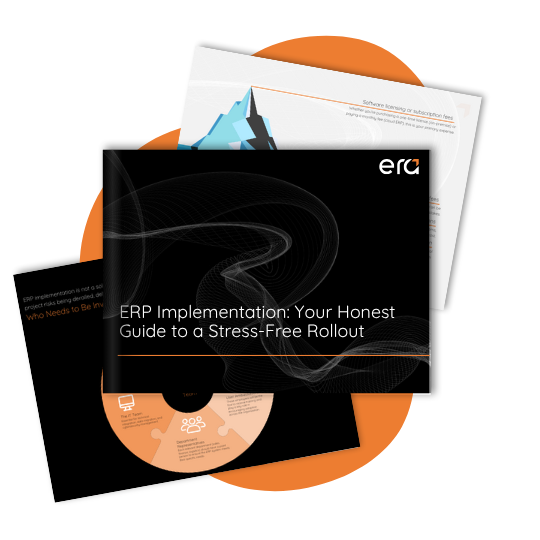
An Honest Guide to a Smooth ERP Implementation
Implementing an ERP involves much more than choosing the right software. It requires structuring the project, preparing your teams, and avoiding common mistakes that can complicate the rollout. This ERP implementation guide outlines the key stages of a successful project and highlights the most frequent pitfalls to avoid.
Download the guidePitfall #6: Underestimating the Real Cost of an ERP Project
When a company starts exploring an ERP project, one question appears almost immediately.
“How much will this cost?”
It’s a fair question. And in many cases, early estimates focus on the most visible elements. Software licenses. Implementation services. Perhaps a few integrations.
But an ERP project usually involves additional costs that are less obvious at the beginning.
Take internal time, for example. During the implementation, several employees will need to participate in workshops, test system configurations, validate business processes, or clean existing data. These activities are essential to the project, but they also represent a significant time investment.
There are also the phases that follow the go-live. Once the system is operational, teams continue learning how to use it. Adjustments are made. New features may be introduced gradually as the organization becomes more comfortable with the system.
In other words, an ERP project doesn’t really end the day the system goes live.
To avoid surprises, many organizations take the time to evaluate the full scope of the investment, including:
- software licenses
- implementation services
- data migration and preparation
- user training
- post-implementation support
This broader view helps companies plan their ERP investment more realistically.
For organizations looking to explore this topic further, we also discuss it in our article “Why the Cheapest ERP Option Often Ends Up Costing More.” It explains how decisions based solely on the lowest upfront price can sometimes lead to additional costs later in the project.
Understanding these factors early on makes it easier to make informed decisions and avoid unexpected budget challenges during the implementation.
Pitfall #7: Moving Forward Without a Clear Methodology
An ERP project is much more than installing software. It’s a structured initiative that affects several parts of the business: finance, operations, sales, and sometimes even logistics or production.
Without a clear framework, the project can quickly lose direction.
Some organizations begin with strong momentum but without a well-defined roadmap. Workshops multiply, decisions pile up, and priorities start shifting along the way. Gradually, the project becomes harder to manage.
It’s a bit like starting a major renovation without a detailed plan. Work moves forward, but each new step raises unexpected questions.
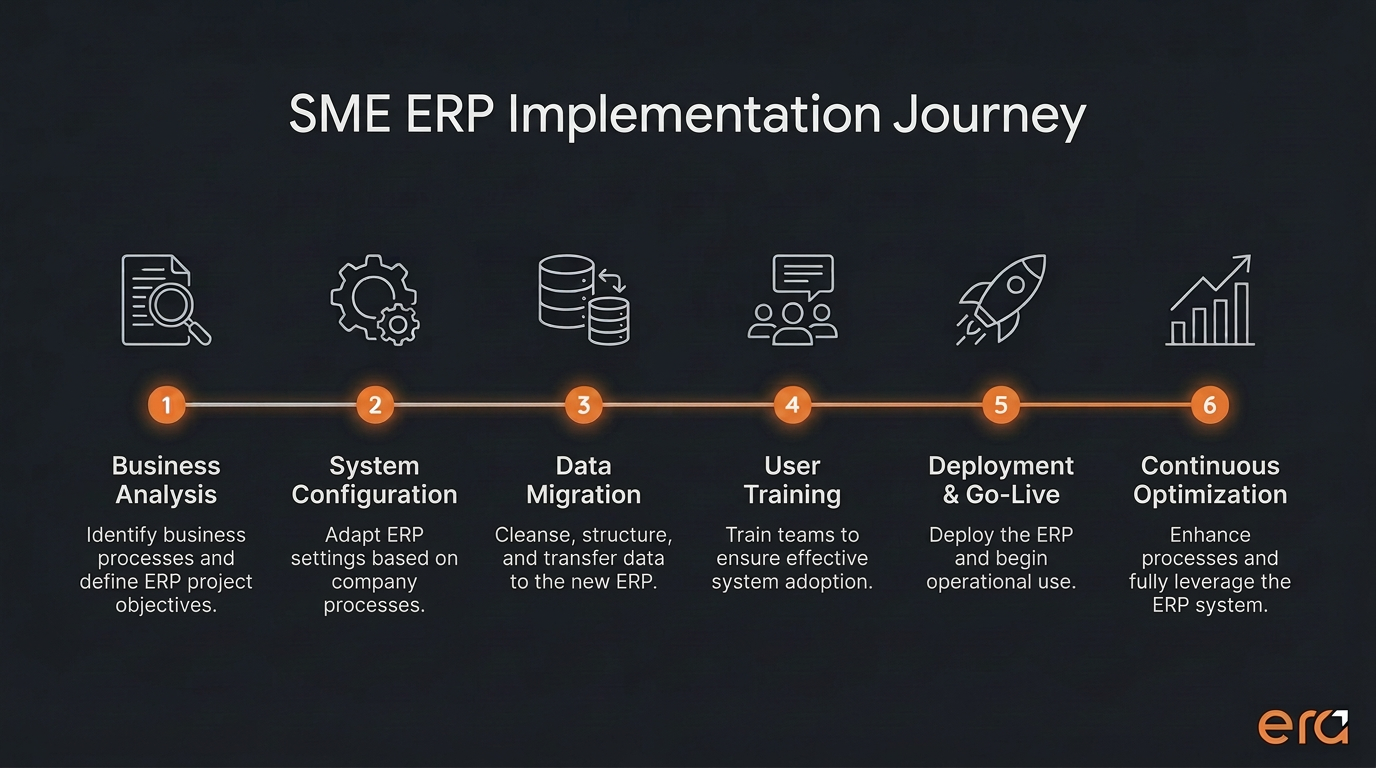
In ERP projects, a structured methodology helps prevent this kind of situation. It organizes the implementation around clear phases:
- business process and requirements analysis
- system configuration
- data migration and validation
- user training
- go-live and post-implementation support
This approach brings several benefits. Teams know what to expect. Decisions are made at the right time. Risks are identified earlier in the process.
This is also where working with an experienced implementation partner becomes valuable. Their role goes beyond configuring the system. They help structure the project, prioritize the right steps, and maintain a clear overall direction.
When that structure is in place, ERP implementation tends to move forward much more smoothly.
A Successful ERP Project Starts Long Before Implementation
Implementing an ERP is an important milestone in the evolution of many SMBs. When done well, it can improve operational visibility, simplify processes, and support long-term growth.
But as we’ve seen, several pitfalls tend to appear frequently:
- insufficient internal preparation
- poorly defined business needs
- underestimated data migration
- excessive customization
- limited change management
- an incomplete view of the project budget
- the absence of a clear implementation methodology
The good news is that these pitfalls can be avoided with proper planning and the right guidance.
Every ERP project is different. Priorities, processes, and objectives vary from one organization to another. But with a structured approach and a clear understanding of the challenges involved, ERP implementation can become a powerful driver of efficiency and growth.

Planning an ERP Project for Your SMB?
If your organization is considering implementing an ERP like Microsoft Dynamics 365 Business Central, it may be helpful to speak with specialists who guide companies through these projects every day. At Era Consulting Group, we help SMBs structure and implement ERP projects while keeping their operational realities in mind.
Schedule a consultationFAQ
How long does an ERP implementation take?
The timeline depends on the size of the company and the complexity of its processes. For most SMBs, an ERP implementation typically takes several months, including system configuration, data migration, and user training.
Why do some ERP projects fail?
ERP implementation challenges are often linked to insufficient preparation. Poorly defined processes, unstructured data, or limited change management can create obstacles during the project.
Can an ERP be implemented without a consultant?
It’s possible, but rarely recommended. ERP implementation involves several complex steps, including process analysis, data migration, and user adoption. Working with an experienced partner can help structure the project and avoid common pitfalls.
What’s the difference between configuration and customization?
Configuration involves adjusting the system using built-in features and settings. Customization refers to modifying the software itself to support specific business requirements.
Oussama Nait-Zlay
Content Marketing Manager
Oussama is a technology content expert at Era Consulting Group. He focuses on making complex topics related to ERP and enterprise technologies accessible, helping organizations fully leverage digital innovations. He brings several years of experience in the SaaS and technology industries, notably with companies such as Zoho and ManageEngine.
Follow Oussama Nait-Zlay
Featured